Learn how to do this
The "Colors Used" box from this site - https://www.1st-art-gallery.com/Winslow-Homer/Nassau-Ii.html
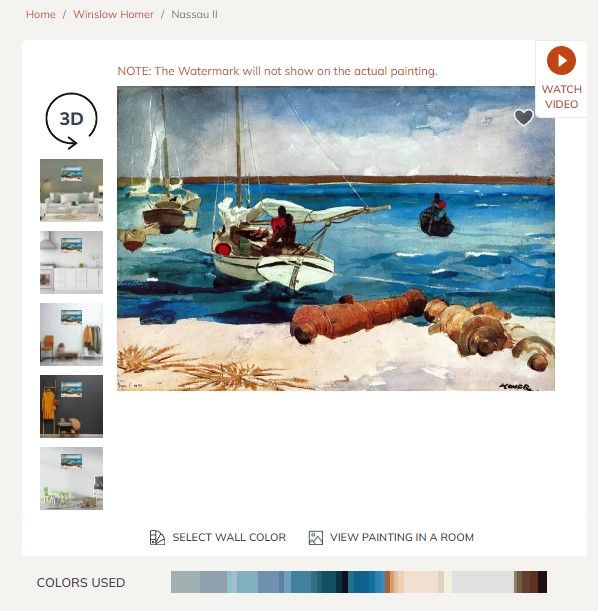
Implementation: Fancybox Color Palette Strip
Status: Done. A color palette strip is extracted from each gallery image and displayed below it in the Fancybox lightbox.
How it works
When a gallery image is opened in the lightbox, Color Thief samples the thumbnail image and extracts 10 dominant colors, which are displayed as a horizontal row of swatches below the caption.
Files involved
src/js/imageFilters.js — Build-time gallery generator
Each gallery <a> element's data-caption attribute is set to HTML that includes only the filename:
const captionHtml = `<span class="fb-caption-filename">${file}</span>`;
The palette container is no longer embedded in the caption HTML.
src/js/fancybox-palette.js — Client-side color extraction
Runs in the browser. On Fancybox's done event (fires after each image is fully displayed), it:
- Creates or reuses a palette strip container in the Fancybox toolbar
- Uses Color Thief to extract a 10-color palette from the thumbnail (
slide.$thumb) - Populates that toolbar strip with colored
<div>swatches
Fancybox.bind("[data-fancybox]", {
  on: {
    done: (fb, slide) => injectPalette(slide),
  },
});
src/_includes/base-noBS.njk — Script loading
Color Thief and the palette script are loaded in the <head>:
<script src="https://cdnjs.cloudflare.com/ajax/libs/color-thief/2.3.2/color-thief.umd.js"></script>
<script src="/js/fancybox-palette.js" defer></script>
src/scss/no-BS.scss — Styling
The caption styling now only needs to handle the filename. The palette strip is styled separately in the Fancybox toolbar:
.fancybox__caption {
  align-items: center;
  padding: 0.75rem 0 !important;
}

.fb-color-palette {
  display: flex;
  width: 100%;
  height: 1rem;
}

.fb-color-swatch {
  flex: 1;
}
Key lesson: why the palette lives in the toolbar
The palette is now injected into the Fancybox toolbar instead of the caption. That keeps it outside the image sizing flow, so Fancybox can size the image and caption normally without needing a placeholder element in data-caption.
This approach avoids coupling the build-time caption HTML to the runtime palette UI while still keeping the swatches anchored in a stable Fancybox container.
Notes / gotchas
- Color Thief requires images to be same-origin (local assets). External image URLs will cause a canvas taint error and silently skip.
- The palette is extracted from the thumbnail (
slide.$thumb), not the full image. This is intentional — the thumbnail is already loaded and in the DOM, avoiding an extra network request. - Fancybox's
[data-fancybox]selector binds to all galleries on the page. Gallery grouping (prev/next within a gallery) is controlled by thegalleryNamevalue set inimageFilters.js.
- no topics